FIELD GUIDE
New-Environment Setup Guide
Everything needed to stand up the Capital ⇄ Teamcenter integration on a fresh machine — hub, plugin, types, project bootstrap, and the verification pass that proves the loop is closed. Every step here is the procedure we actually ran, including the traps we hit so you don't have to.
1. Prerequisites
The bring-up is deliberately light: no JDK, no Maven, no pip installs, no application server. Four things need to exist before you start.
<CapitalHome>). It ships its own toolchain — lib\ecj.jar (Eclipse compiler), a bundled Java 21 JRE, and its own Jackson jars. We build the plugin entirely from these.https://<teamcenter-gateway> plus a service account (<tc-service-user>). The hub handles the CSRF handshake and cookie session itself.tc-service) is pure stdlib — zero dependencies, zero virtualenv. Any recent CPython via the py launcher works.capital-tc-integration — plugin sources, tc-service\, build.ps1, sample bundles, patch maps, and the contract in docs\exchange-format.md.2. The hub: tc-service and config.json
The hub is one Python file tree: tc_service.py serves the REST contract, store.py keeps a merged head plus append-only revision history per project, and teamcenter_soa.py pushes to the real Teamcenter. It also watches Capital's publish outbox — any logical-bom-*.json dropped there is imported and moved to processed/, so the loop works even when a POST times out.
All behaviour lives in tc-service\config.json. A redacted working example:
{
  "port": 8080,
  "storeDir": "<repo>/tc-service/store-data",
  "defaultProject": "Demo Vehicle Program",
  "outboxDir": "<CapitalHome>/plugins/XceleratorTcImport/tc-outbox",
  "seedFile": "<repo>/tc-service/seed-demo-vehicle-program.json",
  "capitalDtdPath": "<CapitalHome>/dtd/project.dtd",
  "parentPatchDir": "<repo>/tc-service/patch-maps",
  "capitalBaseids": {
    "UAV Platform": { "project": "UID…", "design": "UID…", "platform": "UID…" }
  },
  "teamcenter": {
    "enabled": true,
    "baseUrl": "https://<teamcenter-gateway>",
    "user": "<tc-service-user>",
    "password": "<tc-service-password>",
    "componentType": "Fnd0LogicalBlock",
    "functionType": "Functionality",
    "allocationRelation": "Seg0Allocate",
    "portType": "Fnd0LogicIntrfce",
    "functionPortType": "Network_Port",
    "signalType": "Signal",
    "carrierType": "Fnd0LogicConn",
    "networkType": "Network",
    "interfaceType": "Seg0Interface",
    "intfSpecType": "Seg0IntfSpec",
    "requirementType": "Requirement",
    "requirementRelation": "IMAN_requirement",
    "runTag": "",
    "legacyRunTags": ["T7"]
  }
}
The fields that matter operationally: outboxDir must point at the deployed plugin's tc-outbox so the watcher sees publishes; capitalDtdPath is stamped into every generated project XML's DOCTYPE and must resolve on the machine that will import it; capitalBaseids holds the per-project Capital UIDs that turn a re-import into a merge (§5); parentPatchDir points at the patch maps (§6). Missing keys fall back to sane defaults — the config loader even tolerates a PowerShell-authored BOM.
Start it from the tc-service directory and probe it:
py tc_service.py            # seeds the demo project on first run; log: tc-service\service.log

curl http://localhost:8080/health
{"status": "ok", ...}
Key endpoints
| Endpoint | Method | What it does |
|---|---|---|
/health | GET | Liveness probe. The first thing to check when anything misbehaves. |
/export/bundle?project=X | GET | The merged head as the neutral v1.2 bundle, annotated with live Teamcenter status (batched — 1–3 s even at Wildfire scale) when the gateway is reachable. |
/export/capital-xml?project=X&logic=1&pathways=1 | GET | The head rendered as Capital project XML (project.dtd). logic=1 adds a real <logicaldesign> (devices, connectors, nets); pathways=1 emits interconnect graphics — experimental, Capital's importer rejects them today. |
/export/spine?under=<id|1808 addr>&depth=N | GET | Read-only slice of the structure spine — the addressed node, its ancestor chain, descendants to depth, and their allocated functions. What NX and the Capital panel render before an engineer draws anything. |
/import/bundle | POST | Ingest a publish: store merge (merge-preserve), auto-enrichment, patch maps, then the nested Teamcenter push. |
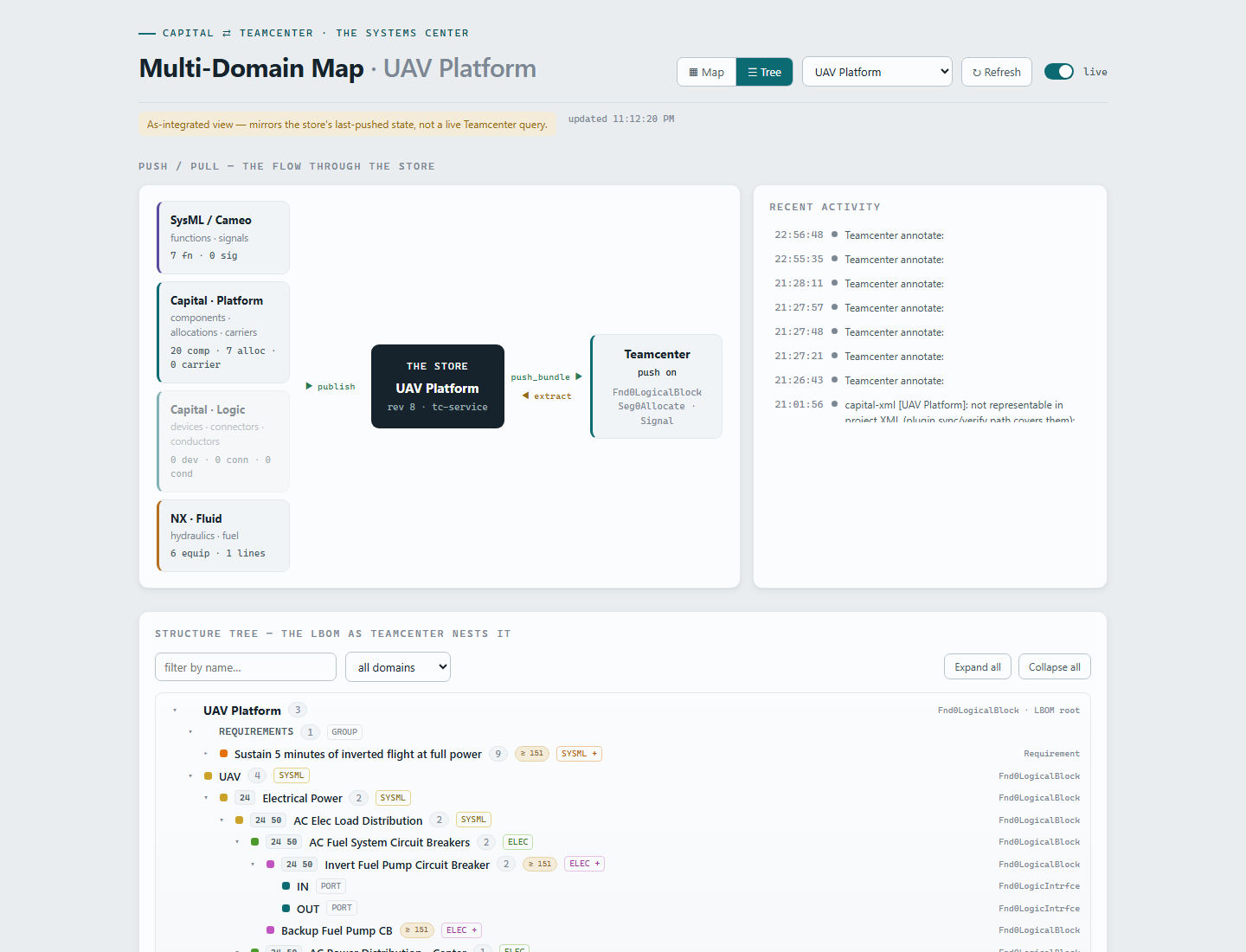
/map · /map/data | GET | Systemscenter — the live map/tree view over the store head. ?project=X&view=tree deep-links the nested tree. |
teamcenter_soa.py and capital_project_xml.py. A stale service once silently ran old roll-up code and mis-created items in Teamcenter. Edit → kill → py tc_service.py, every time. (Exceptions that need no restart: map.html and the patch maps are re-read per request/import.)3. Building and deploying the Capital plugin
One script, no JDK. build.ps1 compiles both source trees with Capital's own ecj.jar against capitalapi.jar, packages the jar with Python (PowerShell's Compress-Archive corrupts jars), and deploys:
.\build.ps1              # compile + package dist\capital-tc-import.jar
.\build.ps1 -Deploy      # ...and deploy to <CapitalHome>\plugins\XceleratorTcImport
The deployed folder holds the jar, tc-connection.properties, and extras\jackson-*.jar copied from Capital's own lib\ (never substitute a downloaded Jackson — Capital's copy avoids classloader conflicts). Deploy is copy-if-missing for the properties file, so your live settings survive every redeploy. The anatomy:
# Hub connection
tc.baseUrl=http://localhost:8080
tc.auth.mode=none
tc.source=rest             # live REST; falls back to tc.bundleFile if unreachable
tc.project=auto            # RECOMMENDED — the panel follows the open project:
                           # stamped TC_ID/"Element ID" on the design wins,
                           # then the Capital project name, then the design name
tc.timeoutMs=30000

# Publish (Capital -> hub)
publish.outboxDir=tc-outbox
publish.postEnabled=true
publish.postPath=/import/bundle

# Import behaviour
import.updateExisting=true
import.externalIdProperty=TC_IDbuild.ps1 -Deploy → relaunch. A stale plugin once published without parentage and pushed a flat structure into Teamcenter. Never leave an old jar copy beside the new one either — two jars with the same packages and Capital rejects both at startup.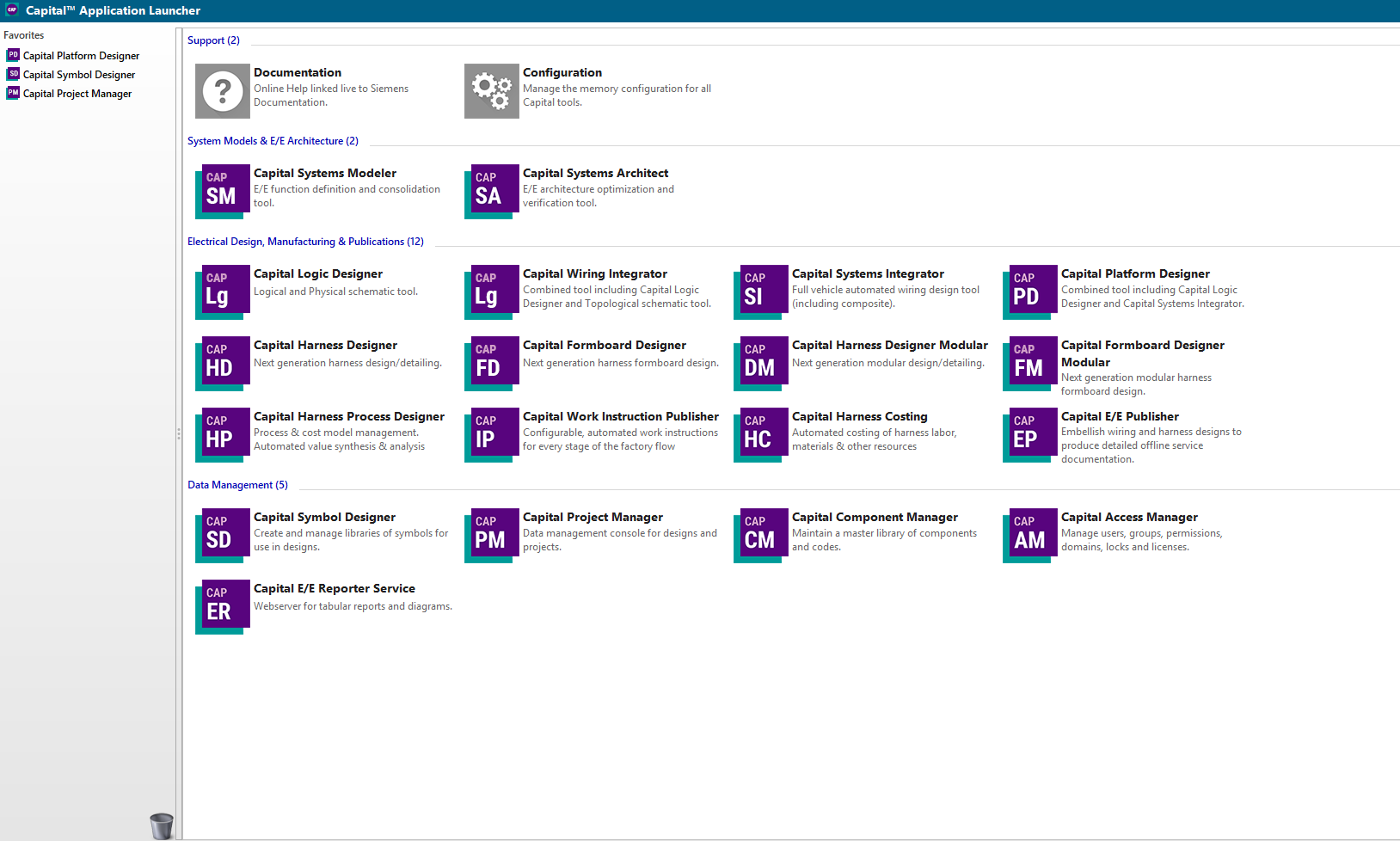
After relaunch, confirm the load in the Main log: Custom plugins loaded: N (92 with the full suite — three publish actions, the assign-parent action, and five browser panels). The line also appears in %TEMP%\capital\2512\CapitalSystemsArchitect_*.log.
4. Teamcenter types, runTag, and legacyRunTags
Every Teamcenter type the hub creates is config-overridable under teamcenter in config.json — swap them as your BMIDE model evolves, no code change:
| Config key | Default | Carries |
|---|---|---|
componentType | Fnd0LogicalBlock | Components / logical elements (the LBOM nodes) |
functionType | Functionality | Functions |
allocationRelation | Seg0Allocate | Function → component allocation (revision-level) |
portType | Fnd0LogicIntrfce | Component ports (GDEs) |
functionPortType | Network_Port | Function ports, directed via fnd0Direction |
signalType / networkType | Signal / Network | Signals and their exchange items |
carrierType | Fnd0LogicConn | Carriers, connections, and logic conductors |
interfaceType / intfSpecType | Seg0Interface / Seg0IntfSpec | The interface-contract stack |
deviceType | = componentType | Logic detail items — the BMIDE structure rule rejects any other child type under a System Block (error 46147, probe-verified); device/connector distinction rides the revision's seg0Kind, stamped at creation |
requirementType / requirementRelation | Requirement / IMAN_requirement | Requirements and their trace relations (never LBOM occurrences) |
The runTag pattern. On a shared instance, runTag prefixes every created item id and name — we burned through T1…T7 proving the pipeline, each round cleanly namespaced and disposable. For production, set it to "". This is not cosmetic: cross-publish nesting resolves parent ids byte-exactly, so a tagged push looks for T1LOG-STGINV and misses the untagged spine node an earlier publish created. legacyRunTags (e.g. ["T7"]) lets production mode adopt items minted under an older test tag instead of re-creating them — active only when runTag is empty.
setProperties variant returns success and writes nothing (probe-verified across four service versions). We therefore stamp everything that matters — seg0Kind, TC_PROVENANCE, TC_EFFECTIVITY — at creation time via createObjects. If a value must change, it changes on the next create, not by patching an existing revision.5. Seeding and bootstrapping a Capital project
Capital seats are populated from generated project XML — either rendered from a live Teamcenter extraction or straight off a store head:
GET /export/capital-xml?project=UAV%20Platform          # from the running hub
py capital_project_xml.py <bundle.json> [<out.xml>] [--dtd <path>] [--include-logic]
The generator enforces the hard-won format rules automatically: UTF-8 without BOM (Capital rejects anything not starting literally with <?xml), a resolvable DOCTYPE from capitalDtdPath, flat folder names, and deterministic baseids derived from TC ids. Two import paths:
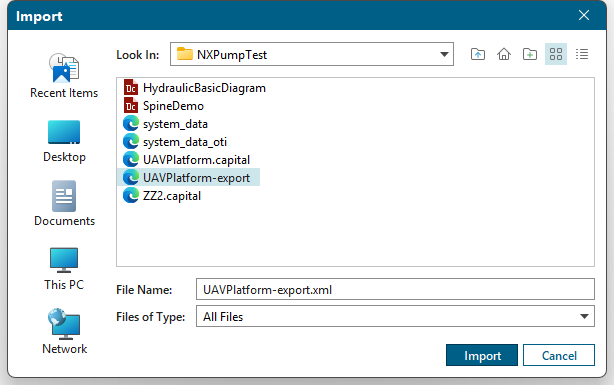
Capital Project Manager → File → Import…, or in SA itself: close every project (Project → Close Project until "No Open Projects"), then the Files button opens the Import Project dialog — it is only enabled with no project open. The project is created fresh; Capital re-keys all baseids to its own UIDs, and only the Element ID properties survive as the join key. OTI applies here: the generated XML carries the TC_PARENT_ID pick-list (values derived from the Teamcenter structure, object type token CLUSTER), so the Quick-Access-Panel dropdown arrives populated on day one.
PM → File → Export → Select Project… on the bootstrapped project; read project@baseid, functiondesign@baseid, and platformtopologydesign@baseid from the exported XML and record them in config.json under capitalBaseids.<project>. The hub stamps them into every subsequent export.
With baseids in place, re-importing opens the Import Designs to Project dialog against the existing project instead of prompting "Duplicate Project Name". Copy As Revision (default) adds design revision B/C/… — safe, but verified not to refresh project-level OTI. Overwrite converges the design exactly to the XML — use only for deliberate TC-mastered resets (UIDs churn, diagram graphics may need regeneration).
<property> whose name collides with a native Capital attribute (bare effectivity, provenance) makes the 2512 importer drop the entire cluster with no error — the design imports empty. Always use the TC_-prefixed names. Likewise the OTI section must mirror a PM export byte-shape (token CLUSTER, booleans "true"/"false") or it is silently ignored.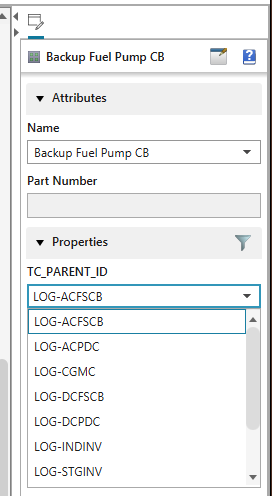
6. Patch maps — parentage for delivered files
Files delivered from outside the loop (a customer .prt, a vanilla Capital project) carry no TC_PARENT_ID. Rather than depend on native assignment APIs cooperating, the hub applies a per-domain name→parentId patch map at import time — tc-service\patch-maps\parentid-patch.<domain>.json:
{
  "_comment": "fuel domain — nests delivered equipment under the spine",
  "Fuel Pump":         "LOG-STGINV",
  "Reservoir":         "LOG-STGINV",
  "Capacitance Probe": "LOG-INDINV"
}
Semantics: applied after merge-preserve and auto-enrichment, fills only missing parentIds (an engineer's explicit choice always wins), matches by name then id case-insensitively, skips _-prefixed keys as comments, and is re-read on every import — extend a map with no service restart. parentPatchDir in config.json relocates the directory. If the native path works, the patch is a no-op; if it doesn't, everything still nests correctly.
7. Final verification pass
Run this top to bottom on any fresh environment. Each step reproduces a behaviour we have proven live on Capital 2512 + Teamcenter 2506.
GET /health returns {"status":"ok"}; service.log shows the demo seed and the outbox watcher armed against outboxDir.
Launch SA via the Application Launcher. Main log reads Custom plugins loaded: N. With a platform design open, right-click the canvas → Custom lists Publish to Teamcenter…, Import from Teamcenter…, and Assign Structure Parent….
Draw a component (Home → Component, two clicks), pick its parent via Assign Structure Parent…, Ctrl+S, then right-click canvas → Custom → Publish to Teamcenter… — flyout quirk: the item highlights on click, fire it with Enter or a double-click. Expect a push summary with the new item created, one occurrence nested under the chosen parent, errors: []. A POST timeout on a large first push is fine — the outbox watcher completes the same bundle.
Publish again, unchanged: items_created 0, everything resolved existing. This is the zero-creates guarantee the Wildfire round trip proved at scale (12 components / 40 functions / 38 signals).
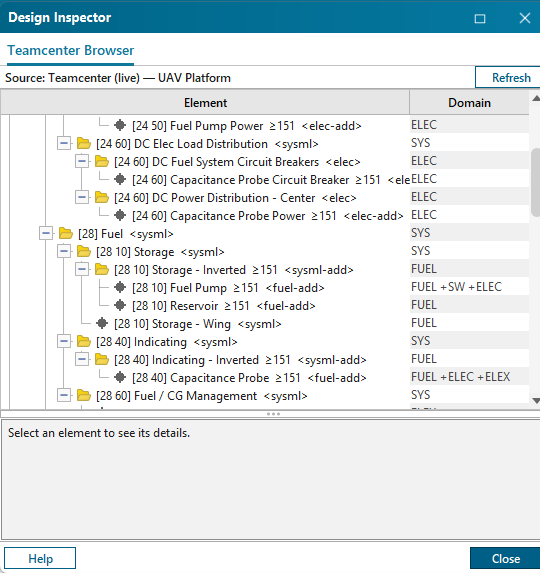
Design Inspector → Teamcenter Browser: header shows Source: Teamcenter (live) — <project> and the tree-table's Domain column is populated. If you see the Demo Vehicle Program labeled "(Teamcenter unreachable)", suspect a project-name mismatch — the panel fell back to its bundled sample, the service is probably fine.
http://localhost:8080/map?project=<X>&view=tree shows the nested structure with provenance colors and effectivity pills; with the live toggle on, your step-3 publish appears in the activity feed and the tree within seconds.
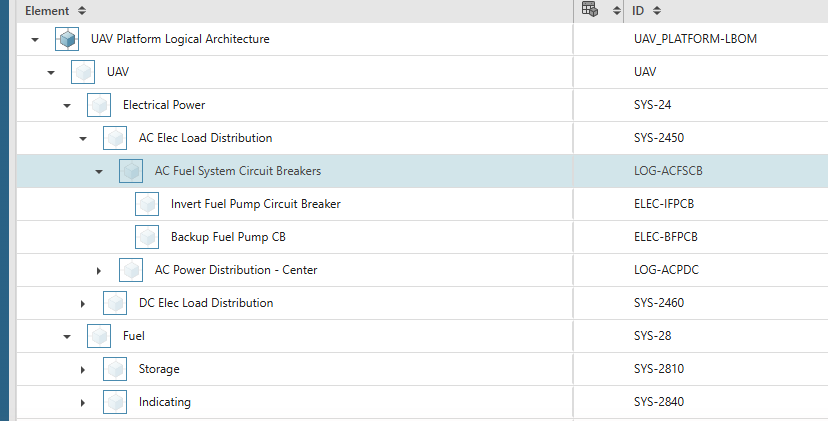
Open <PROJECT>-LBOM in AW and expand: one nested tree, your new element under its spine parent — the same structure every other tool just read and wrote.